Published: June 9, 2026
Updated: October 1, 2026
|
The number of new AutoTrac questions we field this time of year is striking. Planting is wrapping up across Indiana and Ohio, summer chemical applications and crop scouting are starting, and farmers who watched their neighbor's autosteer work this spring are calling to ask how to get on the same system. Some are first-time precision ag buyers. Some are stepping up from a basic guidance system they outgrew. A few are trying to retrofit a tractor that is older than the AutoTrac platform itself.
This post is the practical setup walkthrough we give those callers. Not a marketing overview, not a cost-savings deep-dive, just the questions a first-time AutoTrac owner needs answered before they pull the trigger.
If you want the case for AutoTrac in dollar terms, our April 2025 piece on how AutoTrac reduces costs covers that ground. For the bigger picture, the Precision Ag getting-started guide is the place to start. This is the setup-and-buy version.
What Is John Deere AutoTrac
AutoTrac is John Deere's automated steering system. A GPS receiver on top of the cab listens to satellites and a correction signal, the display in the cab shows the operator a guidance line across the field, and AutoTrac steers the tractor along that line while the operator handles implements and watches the work.
Three pieces have to be working together for AutoTrac to function:
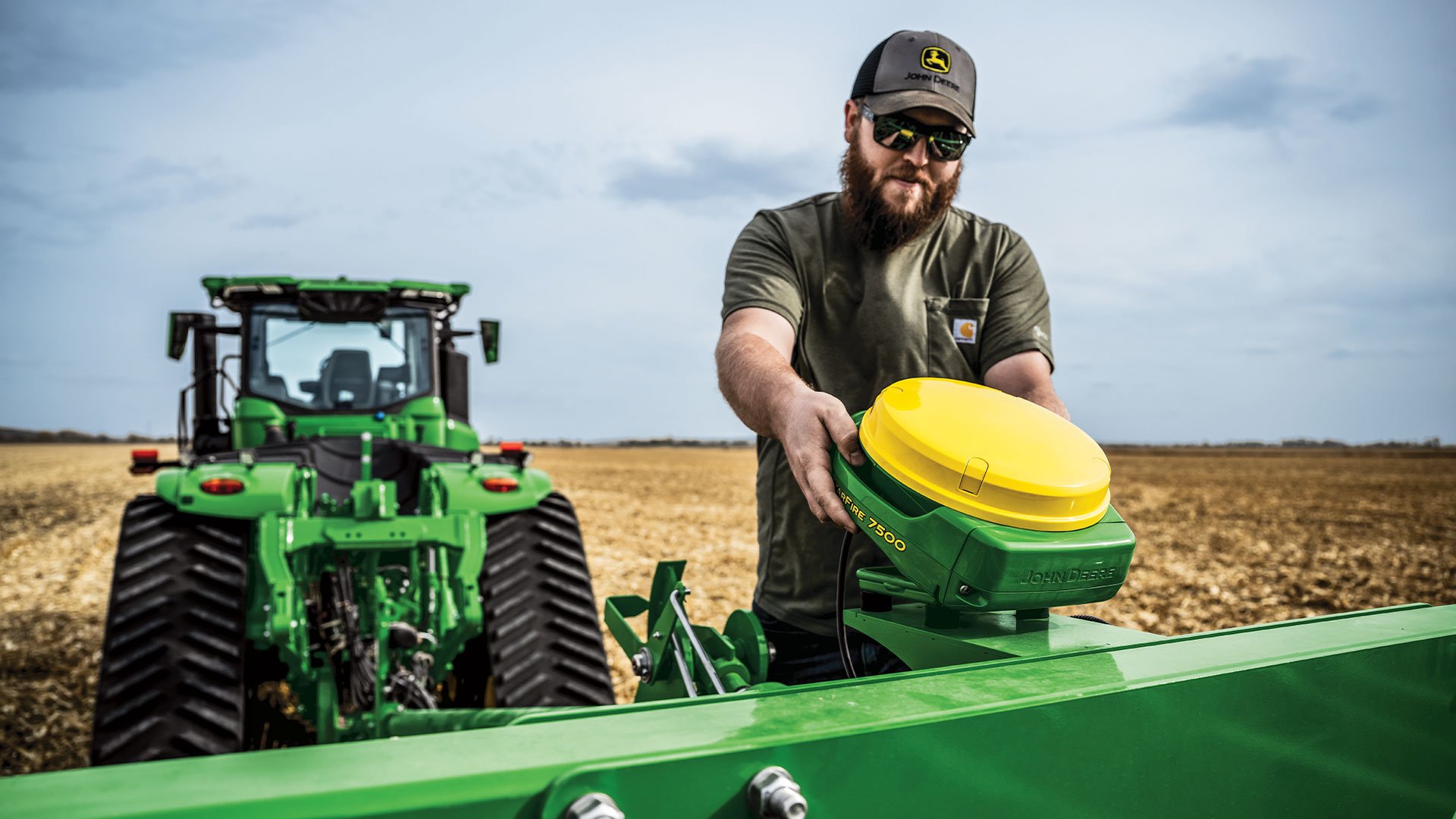
A receiver. Most modern Deere tractors run a StarFire receiver mounted on the cab roof. The receiver picks up the GPS signal plus whatever correction signal the operation is subscribed to. Without a working receiver, you have a tractor with a steering wheel.
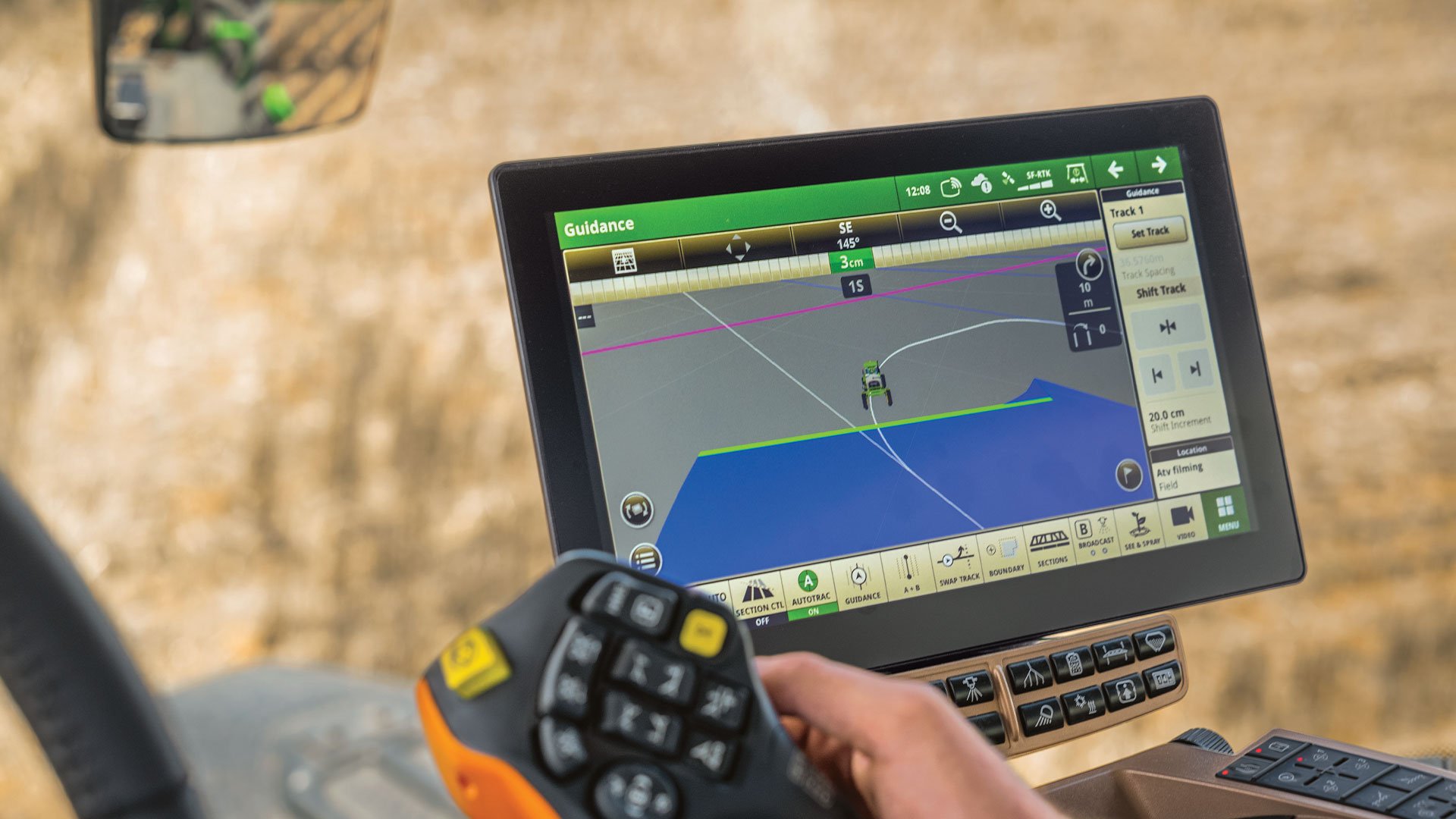
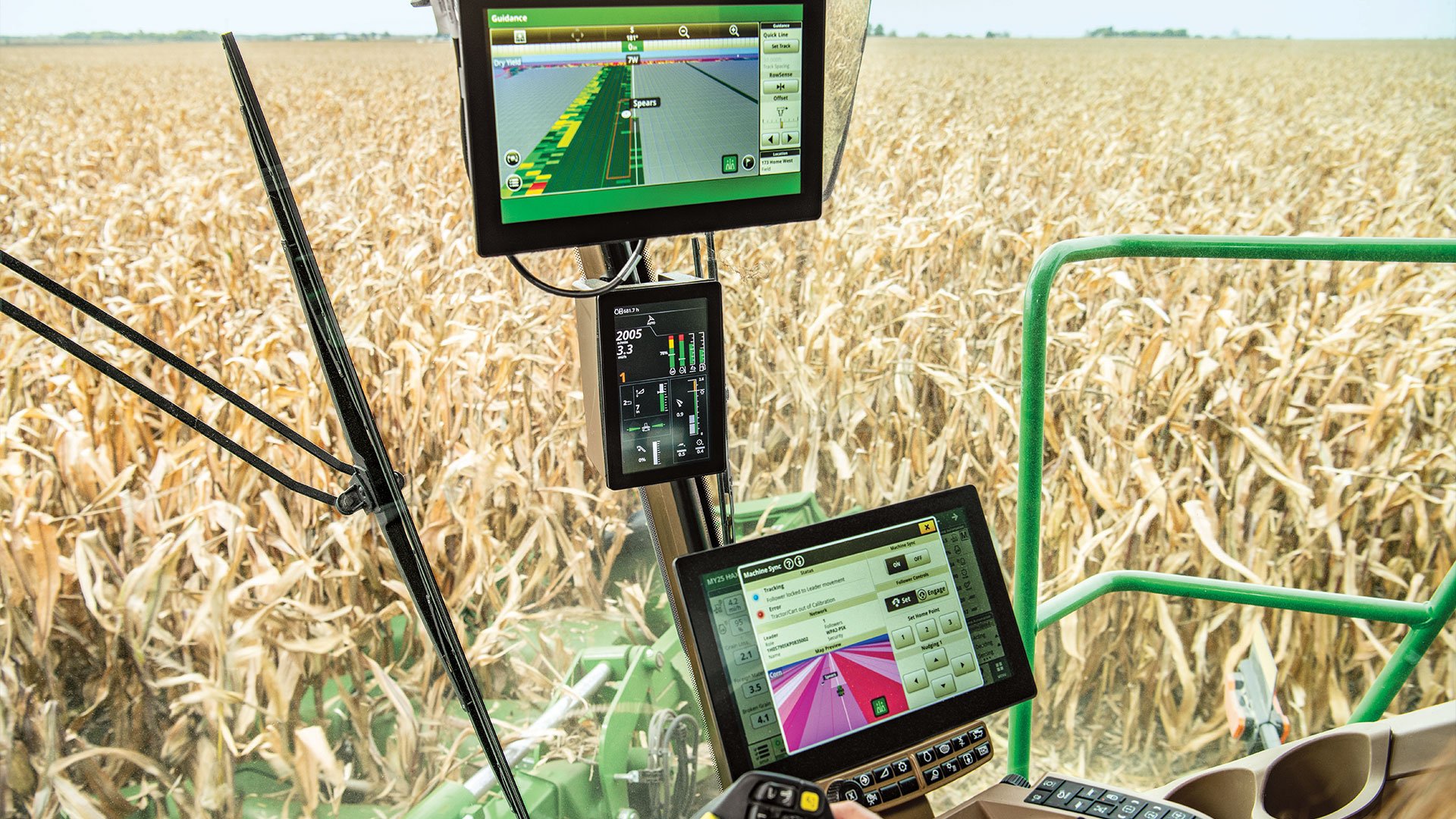
A display. The cab display shows the field, the guidance line, the current speed and offset, and any operator inputs needed during a pass. The G5 series displays are the current generation and the most common new installs.
An activation. AutoTrac is software-licensed. A tractor can be physically capable of running AutoTrac but require an activation to actually use it. Activations are tied to the tractor's serial number.
Most newer John Deere tractors are AutoTrac-ready out of the factory and only need an activation and a receiver to start running. Older tractors may need a complete retrofit. That distinction matters and we will cover it below.
What Is the Difference Between Autotrac Signal Levels
This is the single most consequential AutoTrac decision a buyer makes after choosing the platform itself. The correction signal you subscribe to determines how accurate the tractor's path will be, and the spread is meaningful.
SF1 (StarFire 1). The base correction signal, free with a StarFire receiver. Accuracy is roughly six inches of pass-to-pass repeatability. SF1 is fine for tillage, broadcast fertilizer, hay mowing, and most general tractor work where exact tracks are not required.
SF3 (StarFire 3). A subscription-based correction signal with three-inch pass-to-pass accuracy. The intermediate tier. SF3 is the choice when SF1 is not tight enough but RTK is overkill. Many planting and spraying operations land here.
RTK (Real-Time Kinematic). The premium tier. Sub-inch pass-to-pass accuracy and, critically, year-to-year repeatability. RTK is what you need for strip-till, controlled traffic patterns, repeated row spacing on the exact same tracks every year, and any operation where the cost of even small overlap on inputs adds up across thousands of acres.
The honest version: most Indiana and Ohio row crop operations under 1,500 acres do not need RTK for most of their work. SF3 covers planting and spraying with room to spare. SF1 covers everything else. Stepping up to RTK is a decision that should be driven by specific operational goals, not by spec sheet envy.
The subscription pricing changes year to year and varies by region. Our sales team can walk you through the current pricing the day you visit. The general framing: SF3 runs around $1,200 to $1,800 per year, RTK adds meaningfully on top of that, and most growers who land on RTK do so because they have a specific reason like cover crop planting, strip-till, or row spacing on the exact same passes year after year.
Is Your Tractor AutoTrac Ready
This is the second most-asked question. The answer depends on the model year and the tractor's option configuration when it was new.
Most John Deere tractors from roughly 2012 forward were either AutoTrac-ready or AutoTrac-capable with a single component swap. For these tractors, getting on AutoTrac requires a receiver, an activation, and a display. The wiring and the controller are already in place.
Tractors from before 2012, or older configurations may need a steering kit. The most common retrofit is the John Deere ATU 300 universal kit, which mounts on top of the existing steering wheel and steers the tractor through the same column. The ATU 300 fits a wide range of John Deere tractors and many competitive brand tractors as well.
Non-Deere tractors can run AutoTrac through the universal ATU 300 kit. We have customers running AutoTrac on Case IH, New Holland, Kubota, and Massey Ferguson tractors via the ATU 300. The kit is brand-agnostic for compatible cab configurations.
Tractors with hydraulic-driven steering issues, vintage controls, or non-standard cab layouts may not retrofit cleanly. Bring the tractor model and serial number to our precision ag team and we will tell you straight whether it makes sense to retrofit or whether the right move is a newer tractor with AutoTrac already installed.
The Neer farm story above is the version of this conversation that has played out hundreds of times in our service area. A grower hesitates, finally runs AutoTrac for one season, and can't go back without it.
How Do I Set Up AutoTrac for the First Time
The first day of AutoTrac ownership has a sequence that, if followed in order, gets a new owner running in under an hour. Skipping steps tends to cost more time than the original sequence would have taken.
-
Receiver mount and orientation. The StarFire receiver mounts on top of the cab. The orientation matters because the receiver has a forward arrow that has to point in the direction of travel. Mounting it wrong can cause guidance lines that look right but track wrong by a few inches.
-
Power and CAN connection. The receiver connects to the tractor's CAN bus through a single harness. New tractors have the harness pre-installed. Older tractors may need a harness retrofit. Either way, the connection is plug-and-play once the right harness is in place.
-
Display configuration. The G5 display walks through a setup wizard the first time it powers up. Time zone, region, units, GPS reception confirmation. Take the time to set the offsets correctly. Implement offsets are how the display knows where the planter or sprayer actually is relative to the receiver, and incorrect offsets are a common mistake.
-
Signal subscription. SF1 is automatic with a working receiver. SF3 and RTK require activation through John Deere's subscription portal. Activations can take 24 to 72 hours to propagate, so plan ahead. Don't buy AutoTrac the day before planting season.
-
Implement profile setup. Each implement (planter, sprayer, tillage tool, mower) has a profile in the display that captures its width, path, and offset from the receiver. Set these up in advance for every implement that will run with AutoTrac.
-
Field boundary setup. Boundaries can be driven on the perimeter of each field, imported from an Operations Center account, or pulled from a previous year's data. Boundaries are what tell the system where the field starts and stops.
-
Guidance line setup. Choose a guidance pattern (straight A-B, curved track, headland turn, or others depending on the field shape). The first pass establishes the line; all subsequent passes follow it.
That is the seven-step sequence. The first time through takes roughly 45 to 60 minutes. After the first field, subsequent fields take 5 to 10 minutes to add.
What Most First-Time AutoTrac Owners Get Wrong
A few honest observations from years of helping new AutoTrac owners.
Buying AutoTrac on a tractor too small to need it. A 1025R compact does not benefit from AutoTrac. The smallest tractor where AutoTrac math typically works is the 5E utility tractor, and even then only if the operation has a 5- or 7-foot working width implement and meaningful row acreage. For mowing pastures AutoTrac is overkill.
Skipping the implement offset setup. New owners often want to plant the same day they take delivery. The display offsets get rushed, the planter ends up misaligned and the guidance line is off 4 to 8 inches, and the operator blames the system. The system is correct; the offsets are wrong. Do this setup carefully on day one.
Buying SF1 then needing SF3 in the first season. If your operation includes precision planting or precision spraying, SF1 will not satisfy you. Skip the SF1-only year and start with SF3. The cost difference is usually less than the cost of one input over-application during the season.
Not setting up Operations Center alongside AutoTrac. AutoTrac generates a lot of data that flows into Operations Center. Customers who skip Operations Center setup lose months of yield map, as-applied, and pass-quality data that would have informed next year's decisions.
Mounting the receiver loose. The receiver lives on top of a cab that vibrates, takes impacts from low branches, and gets washed regularly. A loose mount creates intermittent issues that look like signal problems. Torque the mounting bolts to spec.
When AutoTrac Math Works and When It Doesn't
This is the conversation worth having before signing.
AutoTrac math works most cleanly when:
You run a planter or sprayer at high speeds across long passes. The fatigue and concentration savings are real. Operators who finish at 7 PM still working with focus instead of fighting the steering wheel are more productive on the back half of the day.
You have meaningful input costs to reduce through overlap elimination. Seed at modern prices, fertilizer, and chemicals each represent overlap targets. A few percent of overlap savings on 1,000 acres pays for the AutoTrac package in two seasons.
You have multiple operators sharing equipment. Guidance lines and Operations Center data are shareable. Your most experienced operator's planting tracks can be passed to your newer operator the next pass.
You have a long planning horizon. AutoTrac amortizes well over five to ten years of ownership. Operations that plan to retire equipment in two seasons are less likely to recover the cost.
AutoTrac math is less clean when:
You run highly variable fields with lots of turns and headlands. A 40-acre square field is where AutoTrac shines. A 12-acre triangular field with three creek crossings is where AutoTrac saves less and frustrates more.
Your acreage is low. Operations under 200 acres often find that the time and money invested in AutoTrac do not deliver enough recurring savings to justify it. Below 100 acres is almost certainly not the right play.
You have an aging tractor that needs other repairs. Sinking AutoTrac money into a tractor that will retire in three seasons might need some more work be you add AutoTrac. Better to delay AutoTrac to the next tractor purchase and bundle the activation.
A Few Honest Questions
-
What is the difference between AutoTrac and AutoPath? AutoTrac is the basic autosteering system. AutoPath is a higher-tier feature that automatically generates guidance lines from previous as-applied or planting data. AutoPath sits on top of AutoTrac, not in place of it.
-
Can I run AutoTrac without an Operations Center account? Yes, but you lose most of the data benefits. Operations Center setup is free and takes 15 minutes. There is no real reason to skip it.
-
How long does an AutoTrac receiver last? A StarFire 6000 or 7000 receiver typically lasts the life of the tractor with normal use. Software updates extend functionality. Hardware failures are rare and usually warranty-covered in the first three to five years.
-
What if I already own a competitive autosteer system? Many farmers running Trimble, Ag Leader, or Raven systems migrate to AutoTrac for tighter integration with John Deere displays and Operations Center. The migration is straightforward but worth a conversation with our precision ag team to plan correctly.
-
Will AutoTrac work in tree-covered or hilly terrain? Yes, with caveats. Heavy tree cover can degrade GPS reception. Steep terrain affects RTK base station line-of-sight. Our team can pre-evaluate your fields if you have terrain concerns.
The Real Takeaway
AutoTrac is the single highest-impact precision ag investment most Indiana and Ohio operations make in their first decade of digital farming. The setup is not complicated when done in the right order. The first-time decisions that matter are choosing the right correction signal, setting up offsets correctly, and being honest about whether the operation actually has the acreage and use case to justify the investment.
If you are not sure whether AutoTrac is the right next step for your operation, bring your tractor model, your typical acreage, and your usual implement set to our precision ag team. We will tell you straight whether to go for it now, wait for the next tractor purchase, or skip it entirely. The customers who buy AutoTrac and stay happy with it are the ones who bought it after that conversation, not before.
Find parts for your 1025R
Shop genuine John Deere parts that fit the 1025R at Koenig Marketplace — search by your exact model to see what fits.
See how the 1025R compares
Weighing your options? Koenig has side-by-side spec comparisons for the equipment we sell: